

Hi.
Last time I had little to talk about actual progress because most of my time was spent learning and practicing with shaders, but this time the update can be nicer.
Current Progress
New code
With most of the Border Shader finished, except by anti-alias on the borders, it was about time to actually implement it in-game.
The original code for Items (LevelObject class) is shared with Characters (LevelCharacter class) and is set to have two sprites: on outline for when to use when hidden and a complete sprite when found.
With the shader taking care of the outline one less image is required, but changing LevelObject would require me to also be working on the new code for Waifus, so a different approach was needed.
To integrate the shader in-game I created a new LevelElement class, to deal with basic logic that will be shared among Items and Characters. Then made a LevelSprite child class, that deals only with elements that use fixed images and a LevelCanvas class to deal with complex objects (like Characters in cutout animation).
The new names reflect the node types used to display content, making them more intuitive for any gamedev used to Godot.
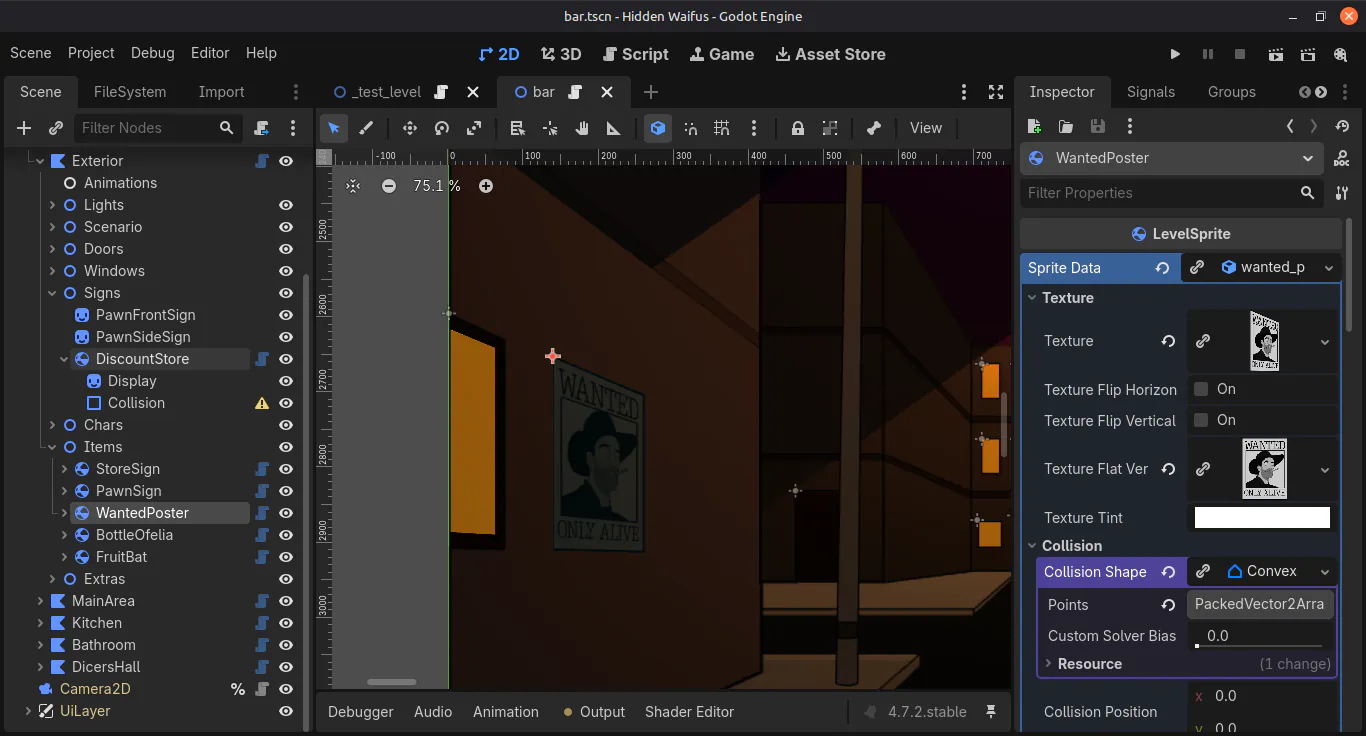
This allowed me cut some bloat in the code, add more flexibility and open the door for some improvements to the logic of Levels. Maybe there will also be LevelPolygon class in the future, that could provide a lighter alternative for my OutlinedPolygon2D tool - since using shaders is a lot lighter than custom draws in GDScript.
With the LevelSprite class ready, I and updated all Items currently on the game to use it while removing all outlines from the images in the project. This is expected to significantly reduce VRAM usage (since there will be a lot less image data in memory) and also slightly reduce disk space usage for the game (because most of the weight comes from the Godot executable itself).
Blueprints
To start re-designing scenarios with better perspective, OneLazyRobot previously asked me for top-down blueprints of the Bar level to work on his own time.
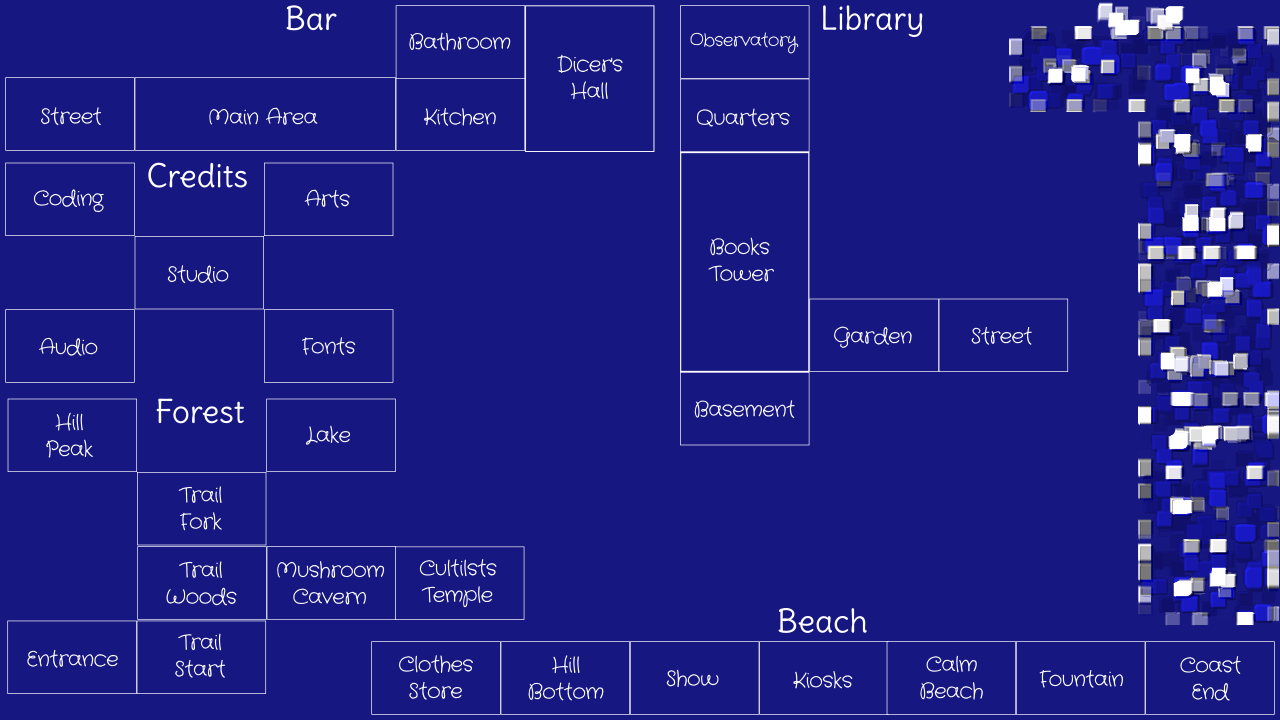
I took the idea to heart and started making top-down blueprints for rooms in new levels too, beginning with the level expected to be unlocked by players right after the Bar: the Library.
This process made me review the names, functions and geometry of the new rooms and update them to make more sense. One example of change is the layout of the Library, that now fits better a tower structure and has new rooms that suit the setting better.
The "super-secret" extra level stays hidden even in the blueprint, no spoleirs!
Next Steps
Scenarios Redraw
The top-down blueprints I'm working on my evolve to be more than just a map for rooms positions in the game (the original intend) or just an overall idea for the scenario (current purpose), but a complete map of everything each one should contain. That would be quite useful to re-use some of the scenarios in future games and other projects.
Either way, while the Bar will require a rework on already made scenarios the new levels will have all rooms made with detailed blueprints before anything is drawn in perspective.
Navigation
With my rework on the levels blueprints, making the basic navigation between each room is a logical next step to do in parallel. So that is my goal until the next Devlog.
Since all levels already kinda have a map, it would be natural to include a map in the Pause Menu in-game - an idea that I debated with Lazy some times. Because of the Randomizer, my idea is to create a dynamic map in-game instead of a fixed structure - because that would allow to shuffle the positions of the rooms.
This map feature would also make a nice combo in an already planned code update on LevelRoom class, from where the dimensions and positions would be read to create the dynamic map.
Back to the Gallery
Big changes often break things and this was not different with the removal of the outline sprites for Items. Now that they are not needed in-game, removing them was an obvious optimization ... but the Gallery used the outlines to display items without spoiling them to players!
The most interesting way to solve the problem, in my opinion, is using the Border Shader to create the outlines as did in-game. This will imply in a slight change in how the Gallery works, so it will be delayed to after all new levels blueprints are done.
Things are progressing, at a slower pace now that focus is more on art (my weakspot) than coding, but still going forward. The next Devlog will probably also be as quick as this one, so until next time.